Get Your Steam Hexadecimal
Getting your Steam hexadecimal is easy and essential to playing FiveM.
Steps
1. Getting Your Profile Link
To get your steam hexadecimal you must start by getting your steam profile link. To do this, open up steam and go to your profile. Once you are on your profile, right click anywhere on the page and click Copy Page URL.
2. Getting the Hexadecimal
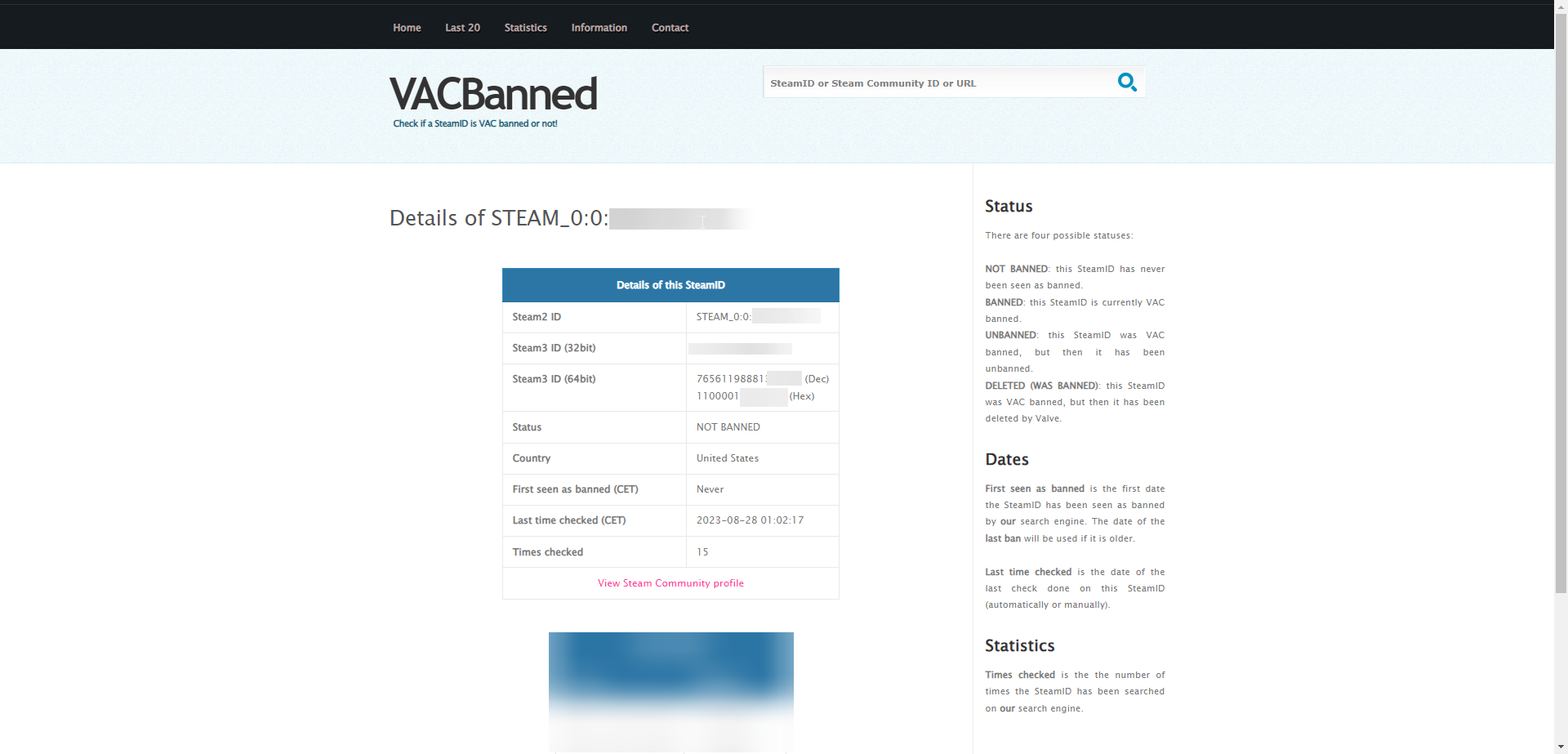
To get the hexadecimal, head to VacBanned. Once you are on the website, paste your steam profile link into the search bar and click Search. Once you have done this, you should see a page that looks like this:
3. Copying the Hexadecimal
Once you are on this page, copy the id labeled (Hex) under the section Steam3 ID (64bit). Shown Below:

4. All Done
You now have your steam hexadecimal. You can copy and paste this wherever you need it.